Ancient Star
Development log
Project maintained by iktools Hosted on GitHub Pages — Theme by mattgraham
Arcs
by Ivan Kravarščan
New game & continue screen
It’s been a while since the last post, crazy times are upon us but a good amount of progress has been made anyway. Two more screens have been polished, a bug has been fixed, and polish of the galaxy map screen has started.
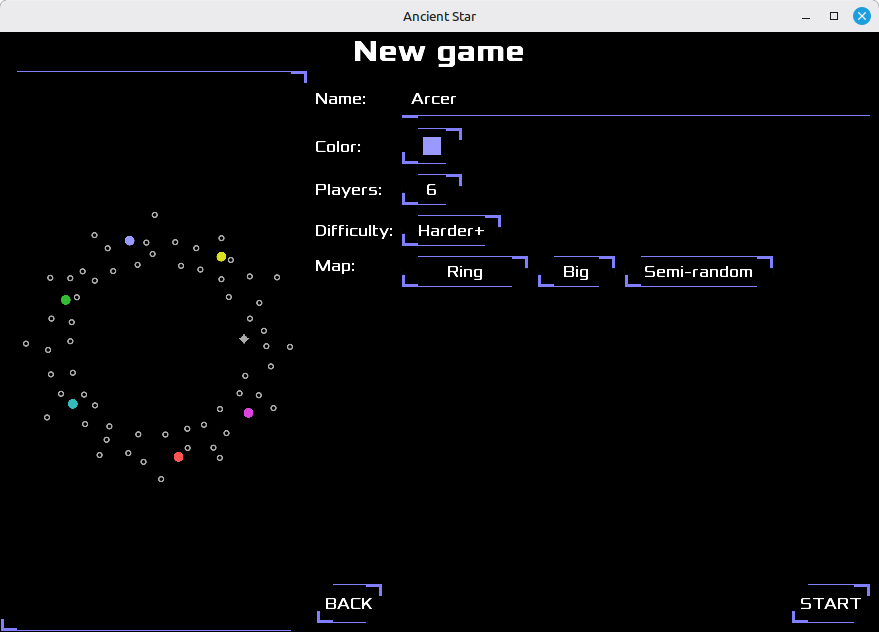
While most UI components have been finalized by now there were still some UI framework tweaks left to do for those two screens. Screen splitting (map preview on one side, screen controls on the other side) was a few pixels bit off, multiple buttons in a row would sometimes go out of screen on Android, and images on the buttons had to be reworked.
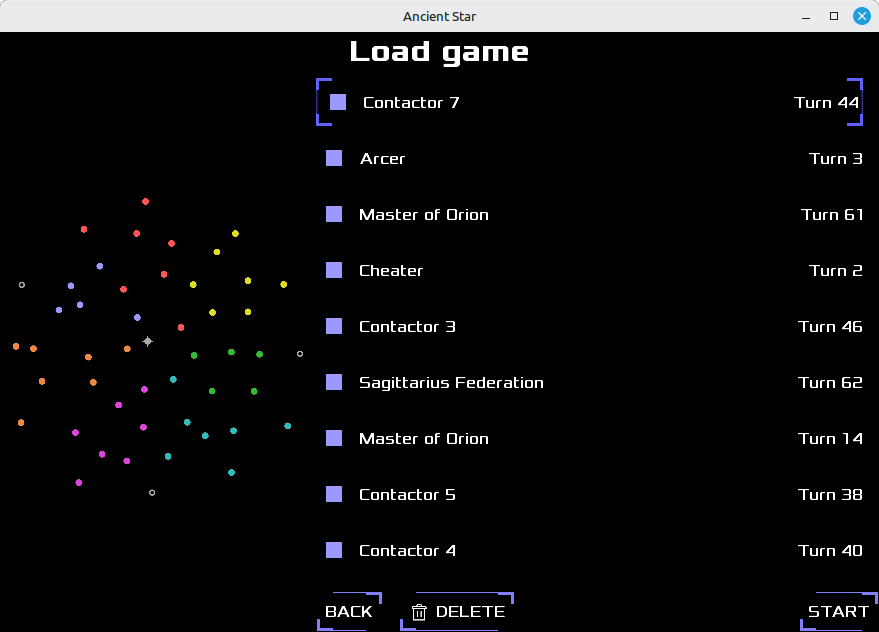
But the most important work on those screens was capability to show filled star images. A good portion of this actually happened in the SDF image generation pipeline that is outside of the game code. Now it’s easy to make a layer filled or outlined and with multilayer support I’m very close to making debris star type have alternating fill logic where asteroids partially overlap with the star’s disc. And also map preview uses a similar mechanism to galaxy map screen so all of this directly helps to the rest of the game.
Diplomacy from null bug
There was a bug reported last year that I couldn’t reproduce at the time. A player would get a message that they are at war with a “null”, a seemingly uncontacted player. Somehow diplomatic contact was onesided, a computer player would establish contact with a human player but the human would not immediately get the contact with them. At first I thought there was a bug with detection ranges, like the computer colony saw a human fleet just far away enough for the fleet to not see the colony. I’ve tried to reproduce the situation with automated tests to no avail.
Then earlier this year I got the same bug report but with the save file provided. Honestly, the save didn’t make me any wiser but it made me dig in and get to the bottom with this. I’ve tried to get the issue myself with more logging turned on but to mixed results. I would get the issue but only between two computer players, never between me and some other player. So I had to take more drastic measures. There was an idea cooking in my head for a while that I’ve decided to make into reality: make AI only game mode. It was a really simple idea actually, let the computer play a human’s turn too but without “pressing” the end turn button and then give the human his turn.
Oh boy, this approach reproduced the issue in an instant! Ok not an actual instant but on a 7 player small map there was 80% chance for it to happen within 15 turns and with the computer playing my turn I could spam dozens of turns in a second. But oh boy, it took me a few days to figure out what triggers the bug! Even with all the data available it was not making sense. I needed one more debug tool: print out of game space coordinates under the mouse. The problem was I’d see coordinates of fleets and colonies that saw each other but hard to tell without visualization where that actually is on the map. I mean, I could spend a few minutes triangulating from a screenshot but that was still too slow for the actual investigation. Moving the mouse around and seeing numbers change sped up the process to mere seconds. And oh boy the issue made even less sense at that point.
It turned out the contact was happening with a third player. For example, player A would become player’s B contact by spotting player’s C asset. The logic for making contacts bilateral would not find any A’s asset visible to B so the contact would remain onesided. I’d like to build more suspense but I’m running out of ideas. At some point I’ve noticed that A and C were allies when the bug occurred. In fact the unilateral contact would happen at the very moment the alliance got established. And the rest is history, a fix was easy to make after this discovery.
Arcs
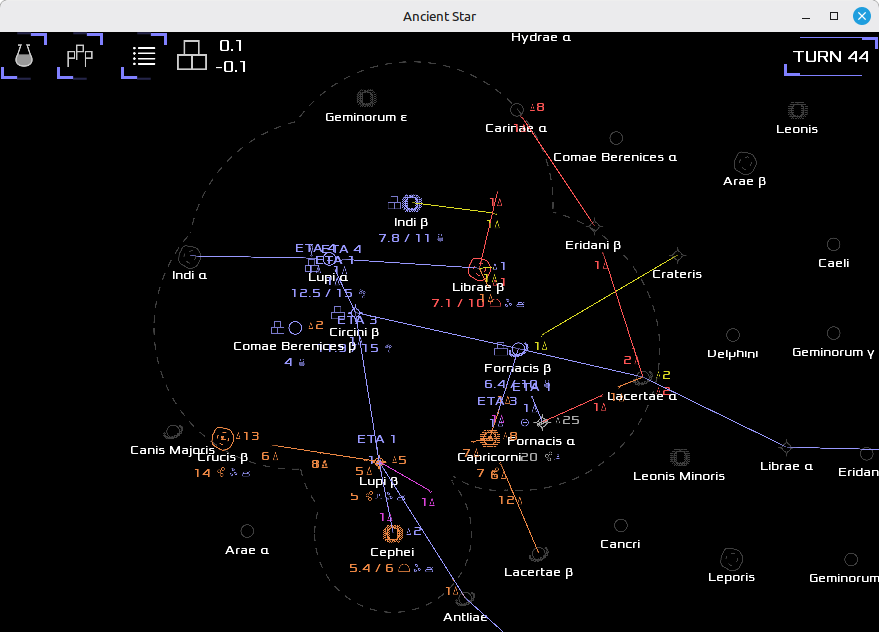
I like doing shaders and I cannot lie :). I’ve asked an LLM how to make a dashed circle in shader, hoping there is something simpler than inverse trigonometry. Of course the LLM has suggested atan2 (the inverse trigonometry) but it also included details on how to use those angles to make actual dashes. So little by little I got into polishing the galaxy map screen.
Dashes were the easy part. I was experimenting a bit with the ends of individual dashes. It turned out to be far from trivial while the naive method with just straight cut looked good for thin lines. The hard part were arcs. I had the math part solved with old Stareater code but actually drawing an arc has a lot of devils in the details. At first there was a total mess of what was drawn where. Some arcs were inverted, a part of the circle that should be outlined would be missing while the other part would be present. Then some arcs would not connect well and that turned out to be a rabbithole involving visual debugging. Initially I thought my math was wrong, and some parts were, but the problem persisted. After slapping all sorts of colors on the rectangle containing the arc’s circle it turned out the y-axis was flipped.
I was cheap with vertex data, I’ve reused texture coordinates that arc shader is not using otherwise so I wouldn’t have to tear apart standard LibGDX rendering pipeline. Normally each of the four points of the rectangle carries an information where it is in the game space (which gets transformed to screen coordinates) and where it falls on the texture (image that is clipped and stretched over the rectangle). Information for all other points within the rectangle is interpolated (evenly spread between two values) by GPU. So if say that a rectangle spans over the entire texture image then the top-left corner will have texture coordinate (0, 0), bottom-right will be (1, 1) and the rest will be interpolated over both axes. Notice that top is y=0 and bottom is y=1. My shader worked with “school math” where y grows upward so that’s why the result ended up flipped.
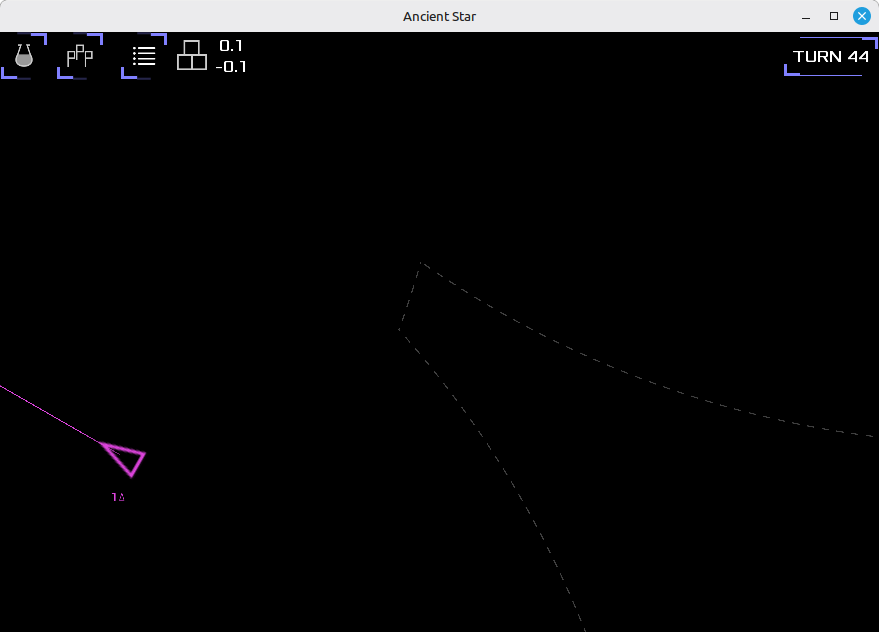
There were a few more details for making arcs look right but I won’t bore you too much about it. Padding (increased rectangle size beyond circle edge) is now calculated to be a few pixels (after all view transformations) on top of circle boundaries instead of blind multiplier of radius. And angle of arc endpoints needed a bit more care. If it is not done properly then very narrow arcs would end up looking extra wide and would not fit nicely with neighbouring arcs. The cutting line has to be from the arc endpoint to the circle center in order to avoid that. All in all a bunch of small mathematical details which is a nice breakaway from normal UI work. Oh and there is dash offset thingy, one that makes dashes of neighbouring arcs look like they are continuing their on-off strides but that will be addressed later.
tags: